 ReplyShelf
A keyboard for small sellers
Answer “how much?” with the price you have today.
Add your products once. When a customer asks about price, stock or a photo, the ReplyShelf keyboard inserts a reply with the current details. In any chat, including Instagram and WhatsApp DMs.
Free · No account · No subscription · iPhone, iOS 17 or later
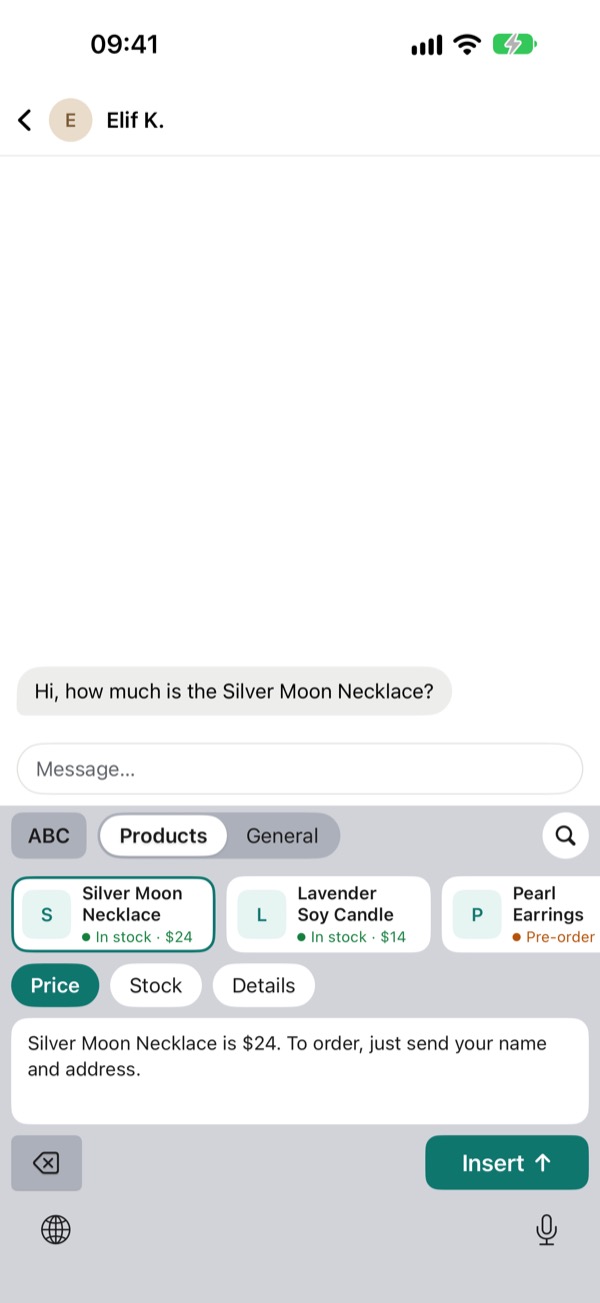
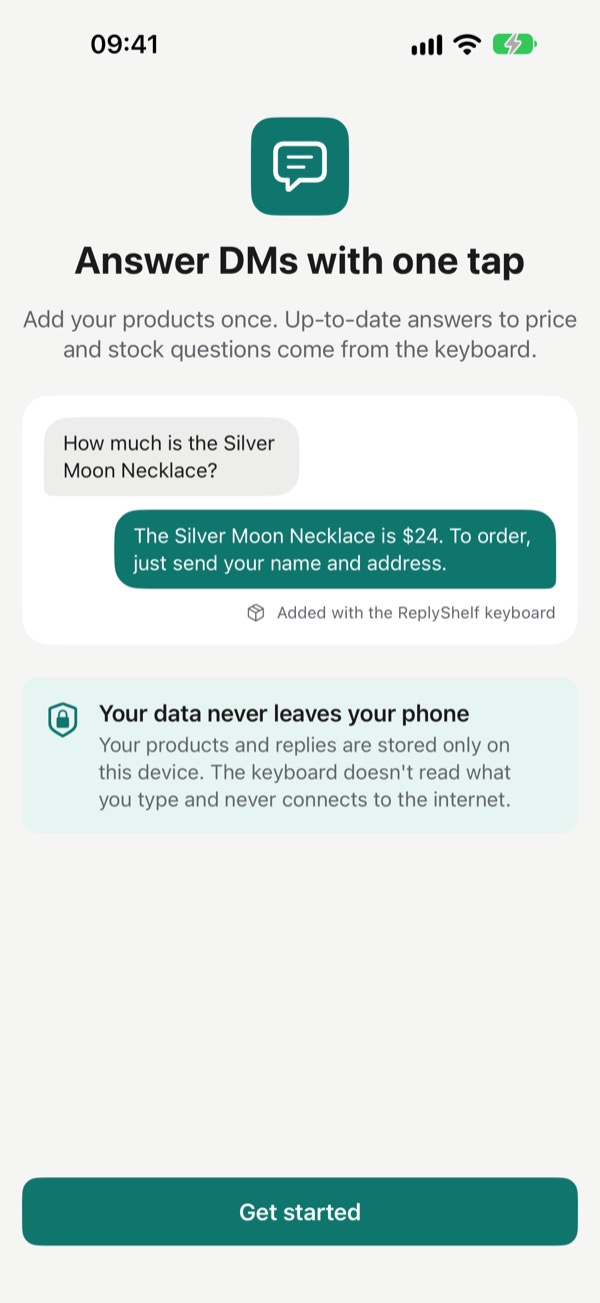
How much is the Silver Moon Necklace?
The Silver Moon Necklace is $24. To order, just send your name and address.
The same three questions, all day long.
If you sell on social media or chat apps, you know them by heart. And every time a price changes, the saved replies in your notes are wrong again.
ReplyShelf answers them from your keyboard, with the price and stock you have right now.
How much is it?
Is it in stock?
Can you send a photo?
How it works
Add products. Write replies once. Answer from the keyboard.
Always up to date
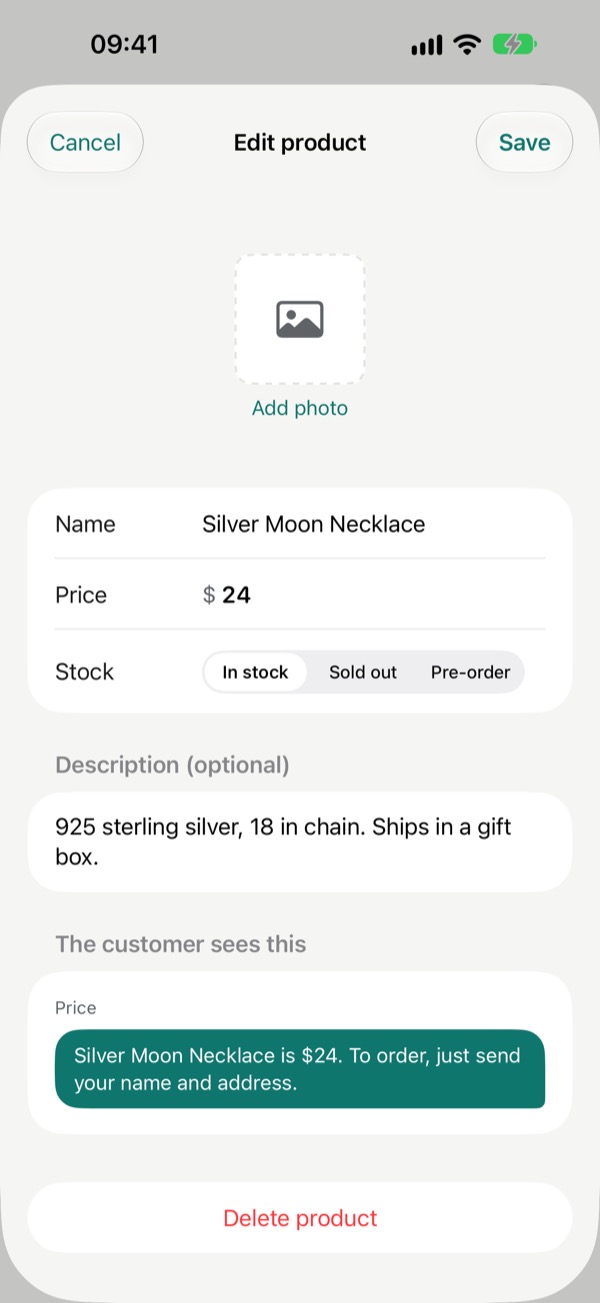
Change a price once. Every reply uses it.
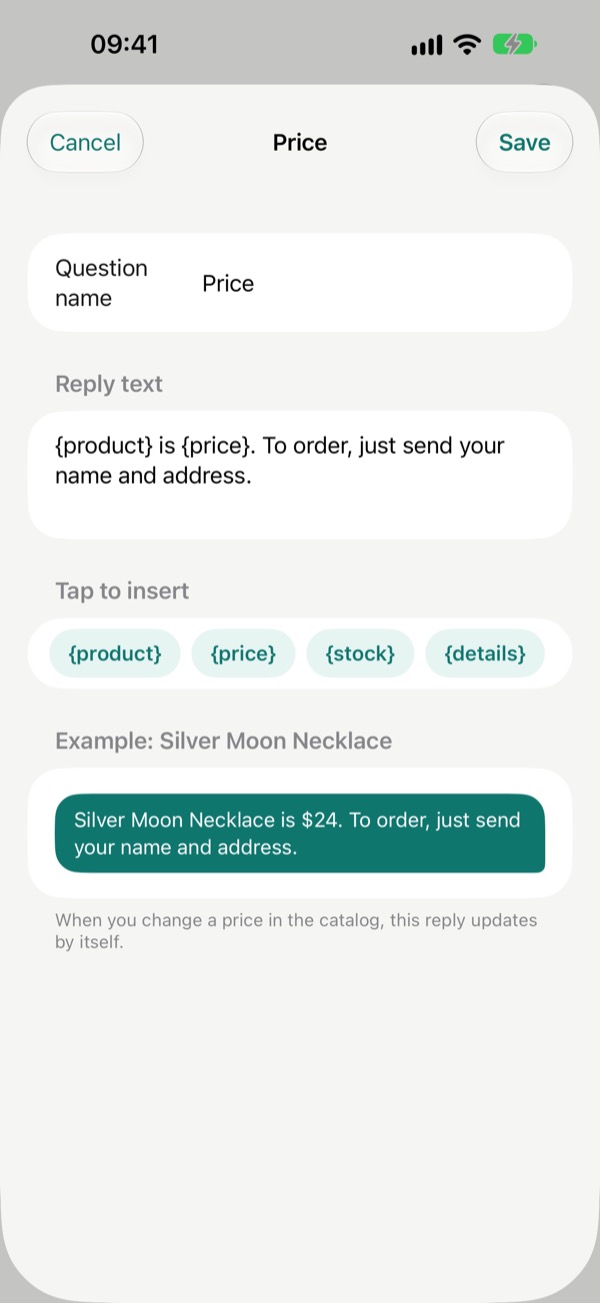
No more fixing saved texts one by one. Update the price or stock in the catalog and the next reply you insert already says the new one.
Reply text
{product} is {price}. To order, just send your name and address.
The customer sees
Silver Moon Necklace is $24. To order, just send your name and address.
Everything a seller types
More than price and stock.
Product photos
Tap the photo button to copy the product photo, then paste it into the chat.
General replies
Save texts you send often, like your IBAN, shipping times or return policy, and insert them with one tap.
Stock at a glance
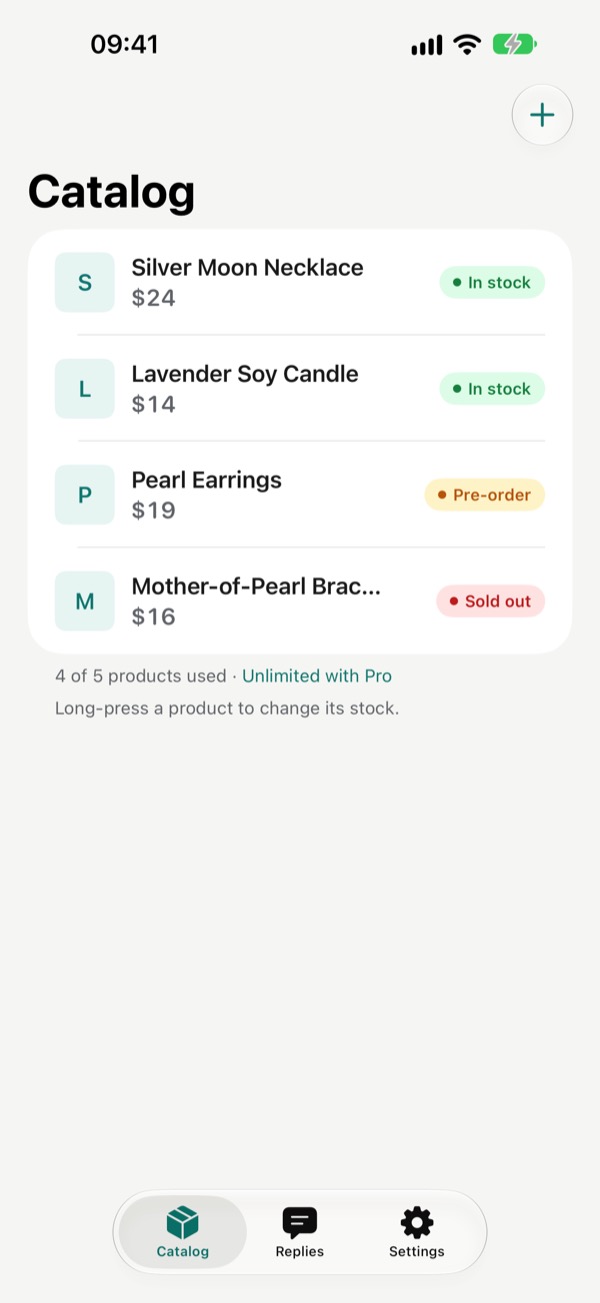
Long-press a product in the catalog to change its stock. The keyboard shows it next to every product.
A real keyboard, too
A full letter layout is built in, so you can keep typing without switching keyboards.
Private by design
Your catalog never leaves your phone.
No account, no server. No ads and no analytics either.
The keyboard stays offline. It never connects to the internet and doesn't record what you type.
Full Access, for two things only. Reading your catalog from the app and copying product photos. Without it, the letter keyboard still works.
Free and Pro
Free for a small shop. Pro for a big one.
Every feature is in the free version. Pro only lifts the product limit, with one payment.
Free
No trial clock.
- Up to 5 products
- The keyboard and all question types
- General replies
- Photo copying
ReplyShelf Pro
Everything in Free, plus:
- Unlimited products
One-time purchase
Not a subscription. The app shows the price in your currency before you buy.
Questions
How do I turn on the keyboard?
Go to Settings › ReplyShelf › Keyboards, turn on ReplyShelf, then turn on Allow Full Access. In any chat, tap and hold the globe key and choose ReplyShelf. The Keyboard setup screen in the app shows each step and ticks it off when it's done.
Why does the keyboard need Full Access?
Only to read your products from the app and to copy a product photo to the clipboard. The keyboard doesn't read or store what you type and never connects to the internet. Without Full Access the letter keyboard still works, but it can't show your catalog.
Which apps does it work in?
Any app where you can type, including Instagram and WhatsApp DMs. ReplyShelf is a keyboard, so it works wherever the iPhone keyboard does.
How do I send a product photo?
Add a photo to the product in the app. In the keyboard, pick the product and tap the photo button; the photo is copied. Then tap and hold the message field and choose Paste.
What's free and what does Pro add?
Free includes up to 5 products with the keyboard, all question types, general replies and photo copying. ReplyShelf Pro is a one-time purchase that unlocks unlimited products. There is no subscription.
Will my catalog move to a new phone?
Your catalog is stored only on this iPhone and is not synced to iCloud. It moves to a new phone if you transfer your device with an iPhone backup or Quick Start. Pro can be restored on any device with Restore purchases.
Put your shop in your keyboard.
Free on the App Store for iPhone.