 Refstash
Design reference library for iPhone
Every reference you see, saved.
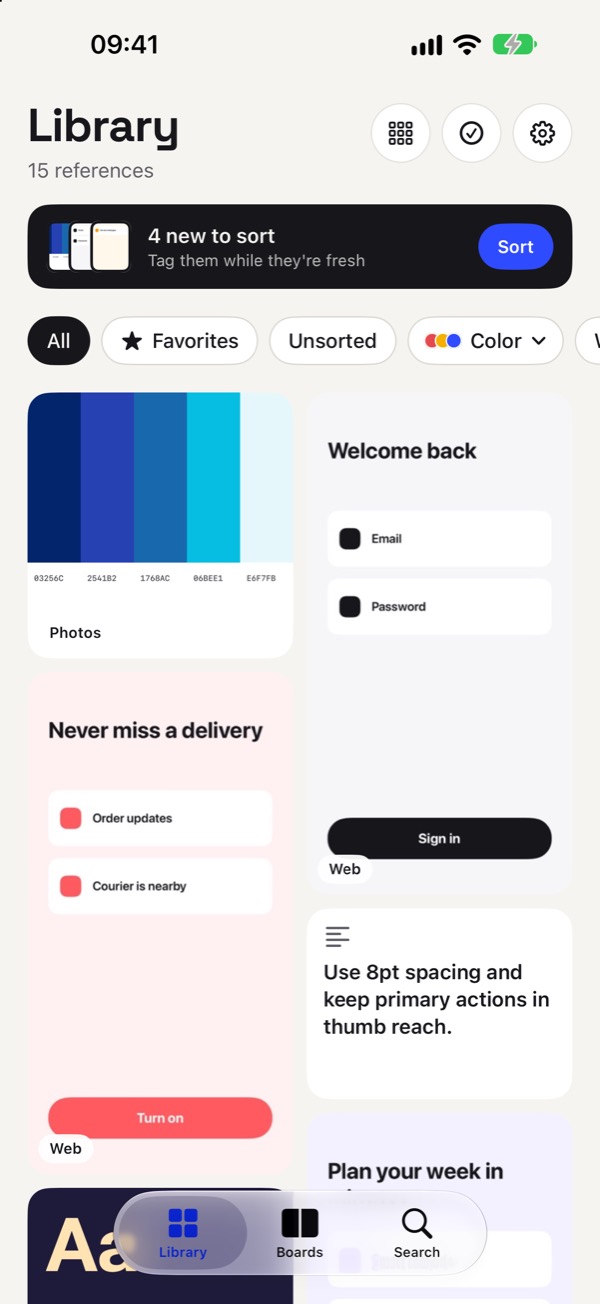
Saw a great screen, palette or layout? Tap Share, pick Refstash, done. Months later, find it again by tag, by color or by the text inside the image.
Free · No account · On device · iPhone, iOS 18 or later
Saved to Refstash
Image + link captured
Your camera roll is not a reference library.
Screenshots end up between family photos. Links sit in a dozen bookmark folders. When you need that checkout screen you saw in March, it is easier to search the web again.
Refstash keeps every reference in one place, from every app, and makes it findable by what it looks like and what it says.
How it works
Save in two taps. Sort when you have a minute.
-
1
Share from any app
Safari, Photos or any app with a Share button. Images, screenshots, links and text are saved even if you close the share sheet right away.
-
2
Tag it now, or later
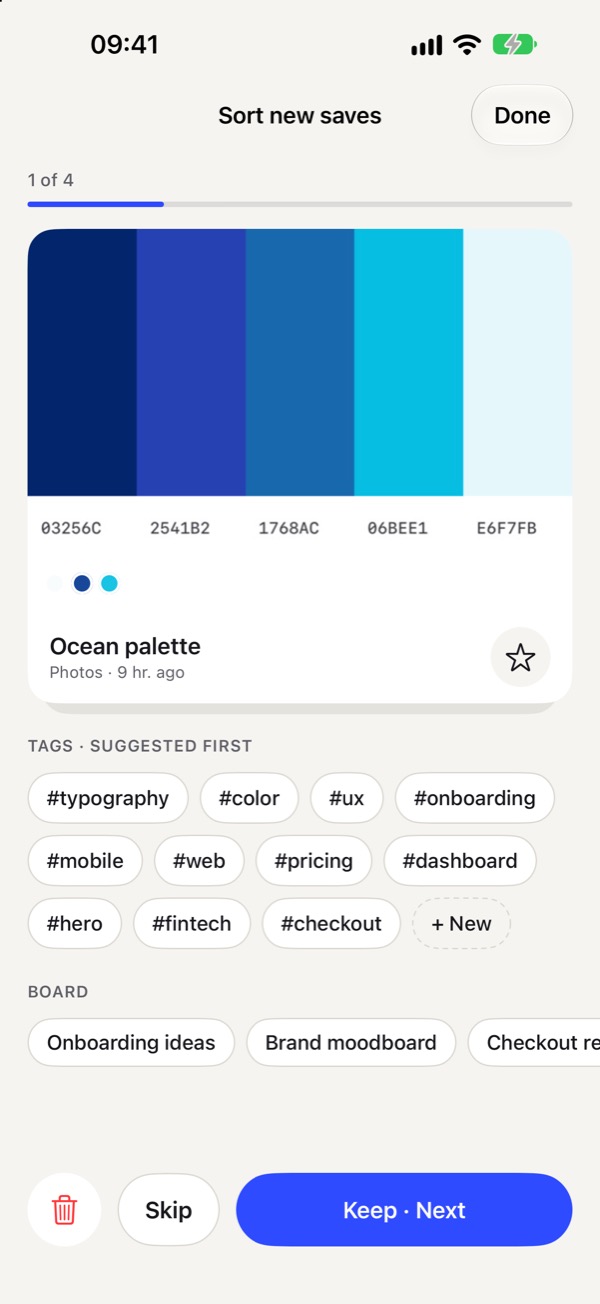
Add tags, a board and a note in the share sheet, or skip. Quick Sort walks you through new saves one by one with suggested tags.
-
3
Find it months later
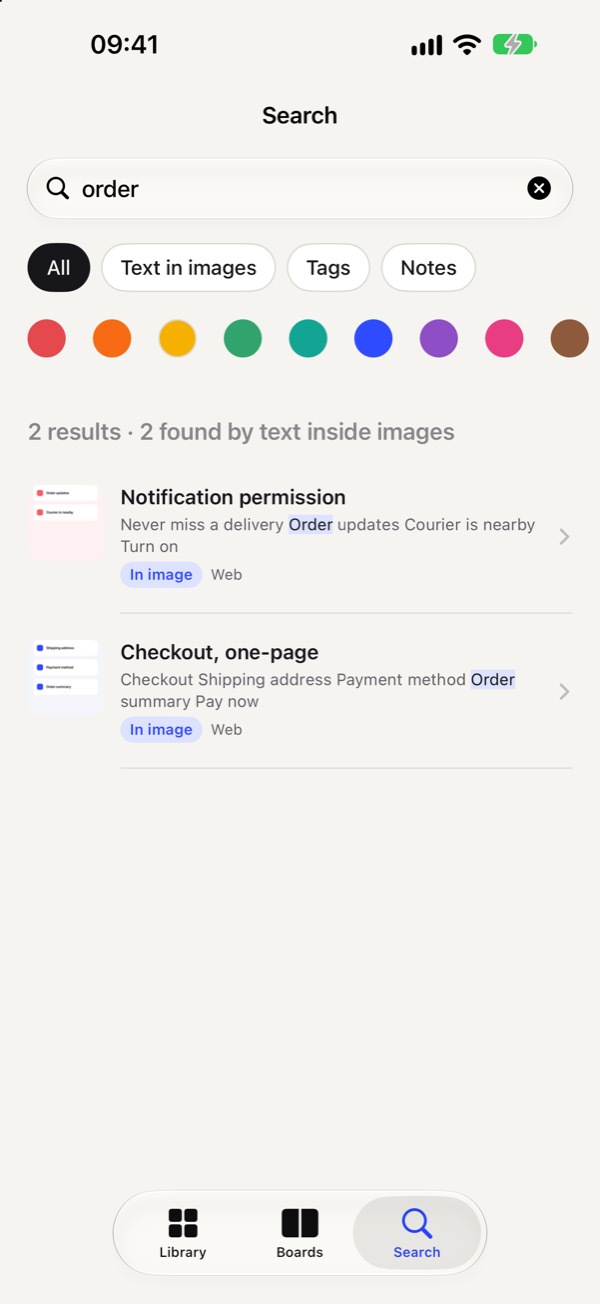
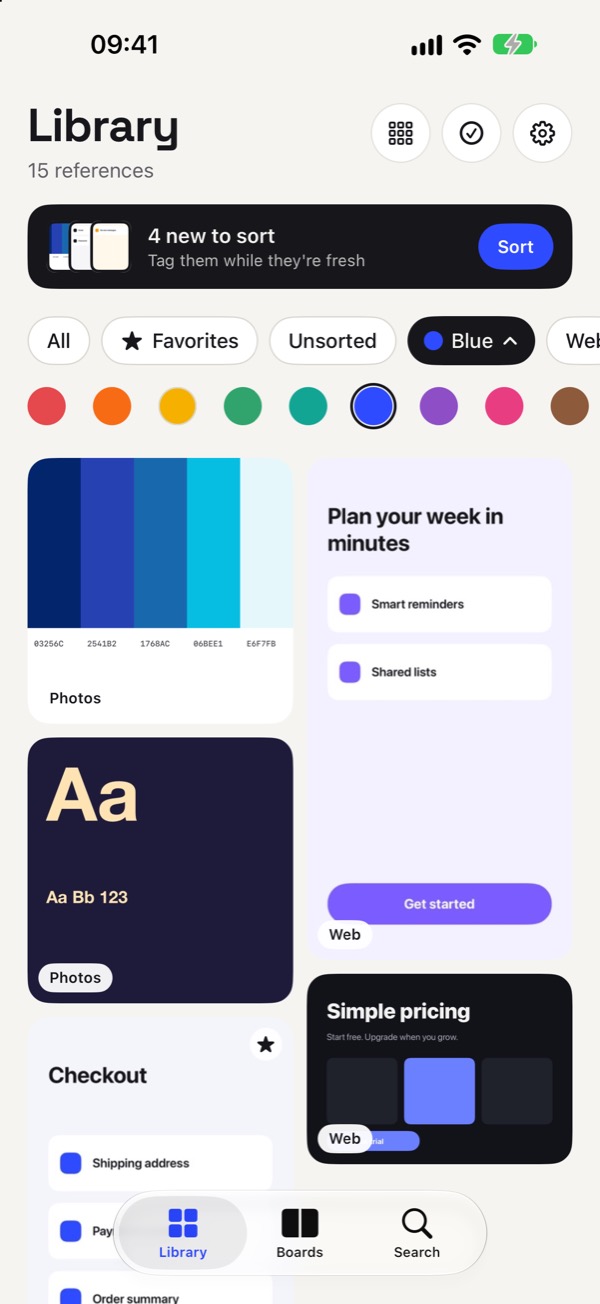
Search titles, tags, notes and sites, filter by color, and with Pro, search the text inside your images.
Find it again
Search by what it says. Filter by what it looks like.
Text recognition and color analysis run on your iPhone. Nothing is uploaded to be indexed.
Built to never lose a save
Nothing you share gets lost.
Saved first, processed later. The share sheet writes your reference to the iPhone before it closes. Text and colors are read afterwards in the app.
Honest about links. Some apps share only a link. Refstash keeps it and marks it “Link only”, so you know to add a screenshot.
Skip is not delete. In Quick Sort, skipped items stay in Unsorted until you get to them.
Rediscover. An older reference you may have forgotten comes back to the top of your Library.
Filters
Link only · add a screenshot when you have one
Your library, your data
No account. No servers. Export anytime.
Nothing to sign up for
Open the app and start saving. No login, no email.
Stays on your iPhone
Your references are never uploaded. Text recognition and color analysis run on the device.
A real export
A ZIP with every image and a readable library.json, whenever you like.
Never behind a paywall
Export and access to everything you saved are always free.
Free and Pro
Free for collecting. Pro for big libraries.
Saving is never limited. Pro adds more boards and search inside images.
Free
Forever. No trial clock.
- Unlimited saving
- Tags, favorites and Quick Sort
- Color filters
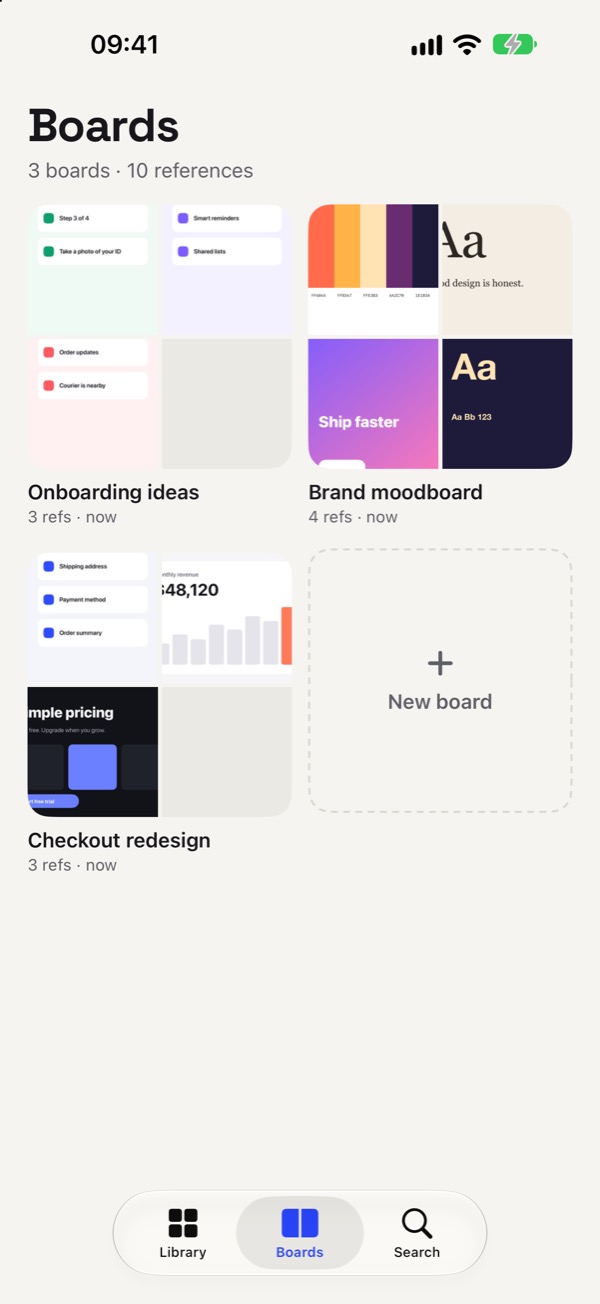
- 3 boards
- Backups and ZIP export
Pro
Everything in Free, plus:
- Unlimited boards
- Search the text inside your images
Yearly
$19.99
7-day free trial
Monthly
$2.99
Lifetime
$39.99
One payment
US prices. The app shows the price in your currency before you buy.
Questions
Which apps can I save from?
Any app with a Share button: Safari, Photos and any other app that shares images, links or text. Images, screenshots, links and text are all supported. If an app shares only a link, Refstash saves the link and marks it “Link only” so you can add a screenshot later.
Do I need an account?
No. There is no sign-up. Your references stay on your iPhone and are never uploaded to a server.
How does search inside images work?
Refstash uses on-device text recognition to read the text in your images. Searching for a word such as “checkout” then finds the screenshots that contain it. Search inside images is part of Refstash Pro.
Can I get my references out?
Yes. Export a ZIP with every image and a readable library.json at any time from Settings. Export is never behind the paywall.
How do I cancel Pro?
In your Apple Account subscription settings. A subscription renews unless cancelled at least 24 hours before the period ends. The lifetime option is a one-time purchase.
Start your reference library.
Free on the App Store for iPhone.