 HabitFlow
Next task planner for iPhone
Pick one task. Do it next.
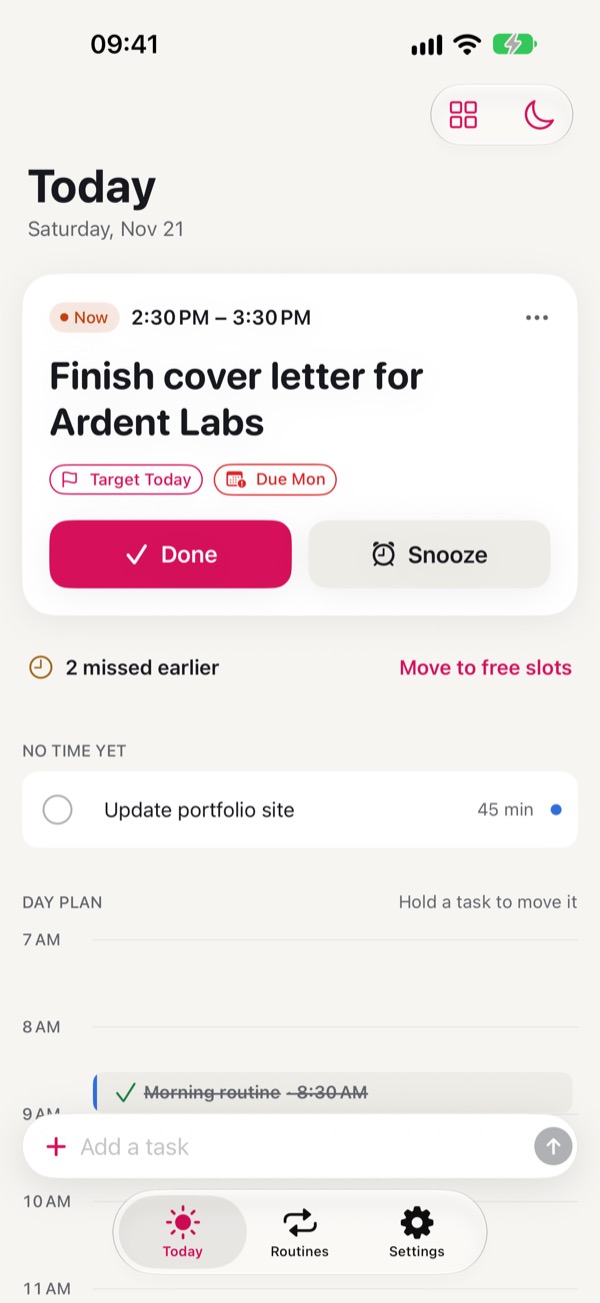
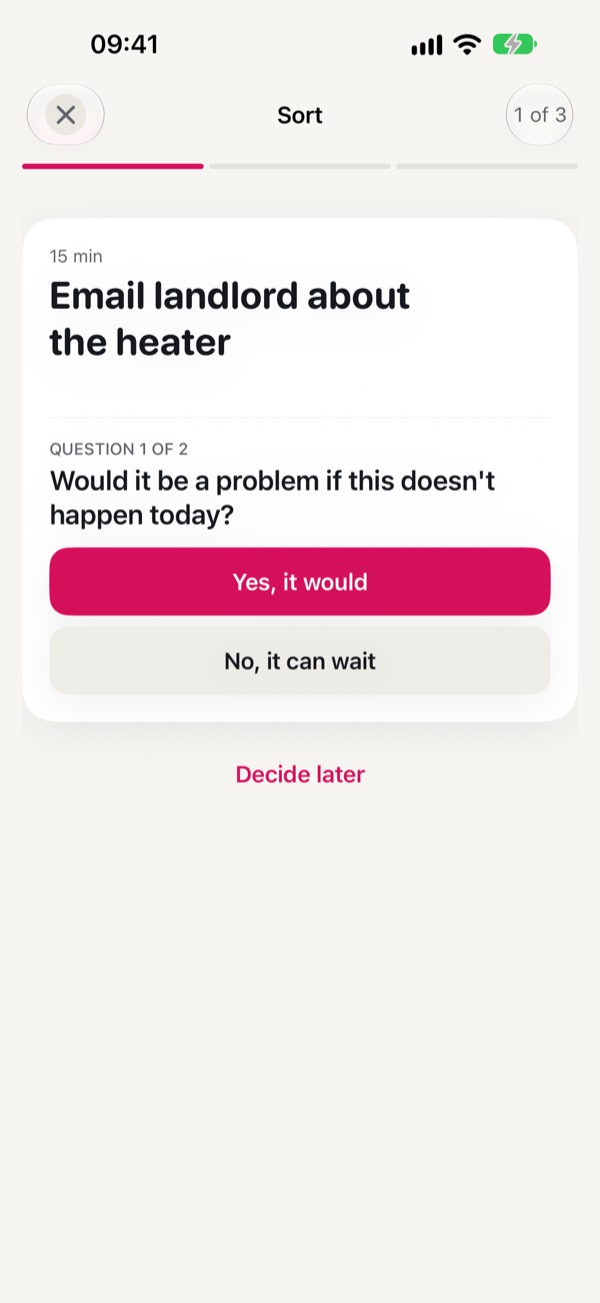
Write down what's on your mind. HabitFlow sorts it with two quick questions, then shows you a single next task with a time on today's timeline. No long list to stare at, no rewriting it all again tomorrow.
Free · No account · iPhone, iOS 17 or later
Finish cover letter
Stop rewriting your to-do list.
A long list asks you to weigh everything at once. So you freeze, start over, and write it all out again.
HabitFlow answers one question instead: what should I do next, and when?
Email landlord · gym · cover letter · groceries · call mom · portfolio · read 20 pages…
Next: Email landlord about the heater, 11:30 AM
How it works
Write it down. Answer two questions. Do the next one.
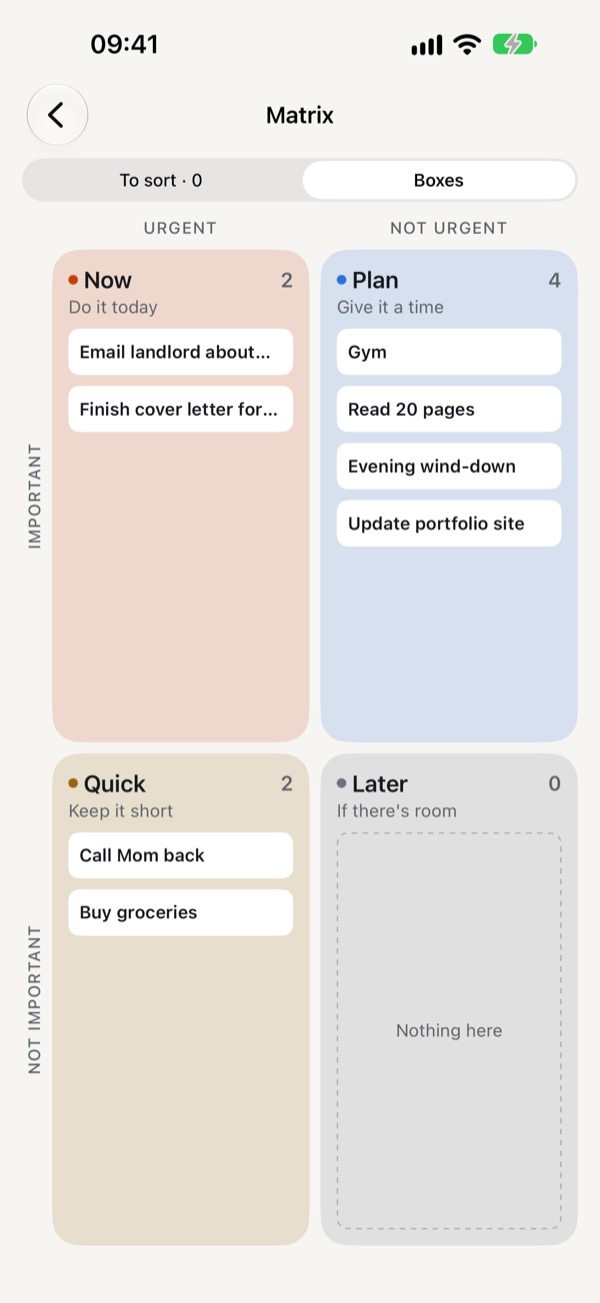
Two questions, four boxes
You answer. HabitFlow decides the order.
Now comes first, then Plan, then Quick, then Later. Inside a box, the task with the nearest time goes first. You never have to compare everything with everything.
Around the next task
A day plan that forgives you.
A timeline for your day
Hold a task and drag it onto an hour to give it a start time. Missed tasks gather in one band, and one tap moves them to your next free slots.
Target dates
Give a task a target date of your own, separate from the real deadline. Missing it never deletes or punishes anything; HabitFlow just suggests a new one.
Routines
Build step-by-step routines, like a morning of water, meds and a shower. They appear as one block on the days you choose.
Reminders and widget
Morning and evening reminders, a note when a planned task starts, and a Home Screen widget where you can mark the next task done without opening the app.
Evening review
Close the day without guilt.
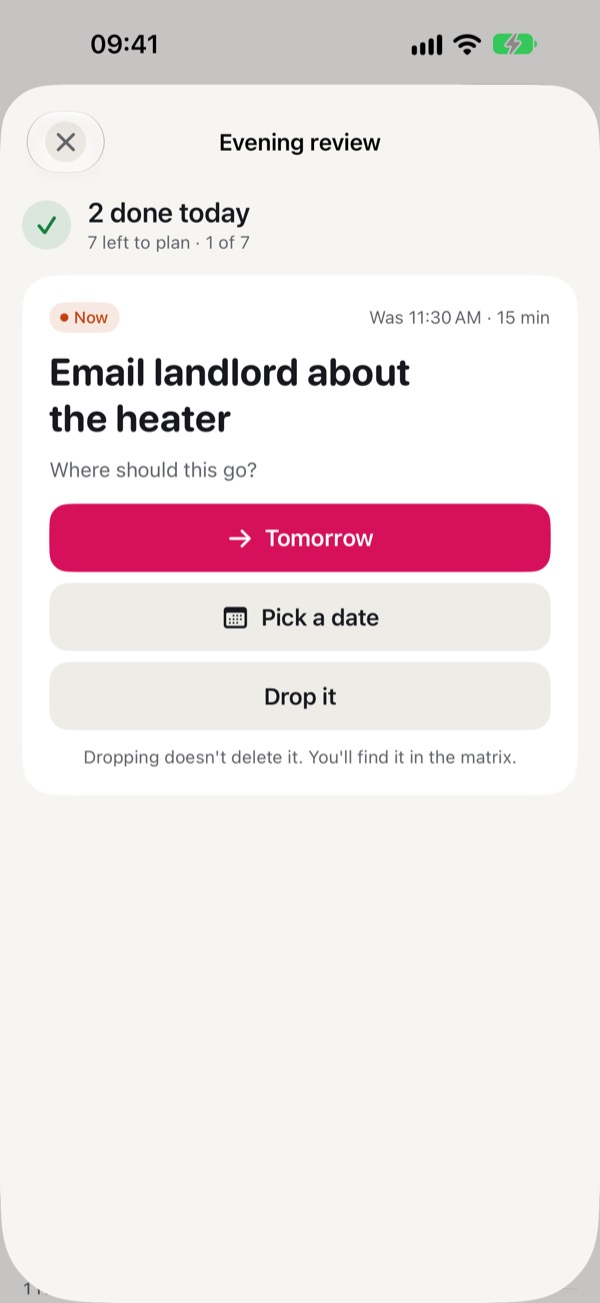
At the end of the day, go through what's left one at a time: tomorrow, pick a date, or drop it. Dropping doesn't delete anything.
No streaks, no percentages. Just how many you finished and what comes first tomorrow.
No account. Your tasks and plans stay on your phone.
Free and Pro
Everything is free. Pro adds more routines.
The whole planner is in the free version. HabitFlow Pro only lifts the routine limit.
Free
No trial clock.
- Unlimited tasks, the four boxes and the next task
- Day plan, target dates and evening review
- Reminders and the Home Screen widget
- 2 routines
HabitFlow Pro
Everything in Free, plus:
- Unlimited routines
Yearly with a 7-day free trial, or monthly
The app shows the price in your currency before you subscribe. Cancel any time in your Apple Account settings.
Questions
How does HabitFlow pick my next task?
It takes the highest box first (Now, then Plan, then Quick, then Later), then the task with the nearest start time, then tasks without a time in the order you added them. Routines count as Plan.
What if I don't know the answer to a question?
Tap Decide later. The task stays unsorted and you can sort it whenever you like. You can also drag a task to another box at any time in the matrix.
What happens to tasks I miss?
Tasks whose time has passed gather in one band on Today. One tap moves them to your next free slots. Nothing is deleted, and there are no streaks to break.
What's free and what does Pro add?
Everything is free, including 2 routines. HabitFlow Pro unlocks unlimited routines, yearly with a 7-day free trial or monthly. The subscription renews automatically unless you turn it off at least 24 hours before the end of the current period.
Do I need an account? Where are my tasks stored?
No account. Your tasks, routines and plans are stored only on your iPhone and are not synced to iCloud. Purchases are handled by Apple and verified through RevenueCat with an anonymous ID.
How do I add the widget?
Touch and hold your Home Screen, tap Edit, then Add Widget, and choose HabitFlow. The small widget shows your next task and its time; the medium one also shows how many tasks are in each box. Tap Done on the widget to finish a task without opening the app.
What's next? Now you know.
Free on the App Store for iPhone.